Disclosure: This site may earn a commission if you buy through links on this page or elsewhere on the site. For bunk beds, always check the manufacturer instructions and current safety guidance before building, modifying, or using any bed.
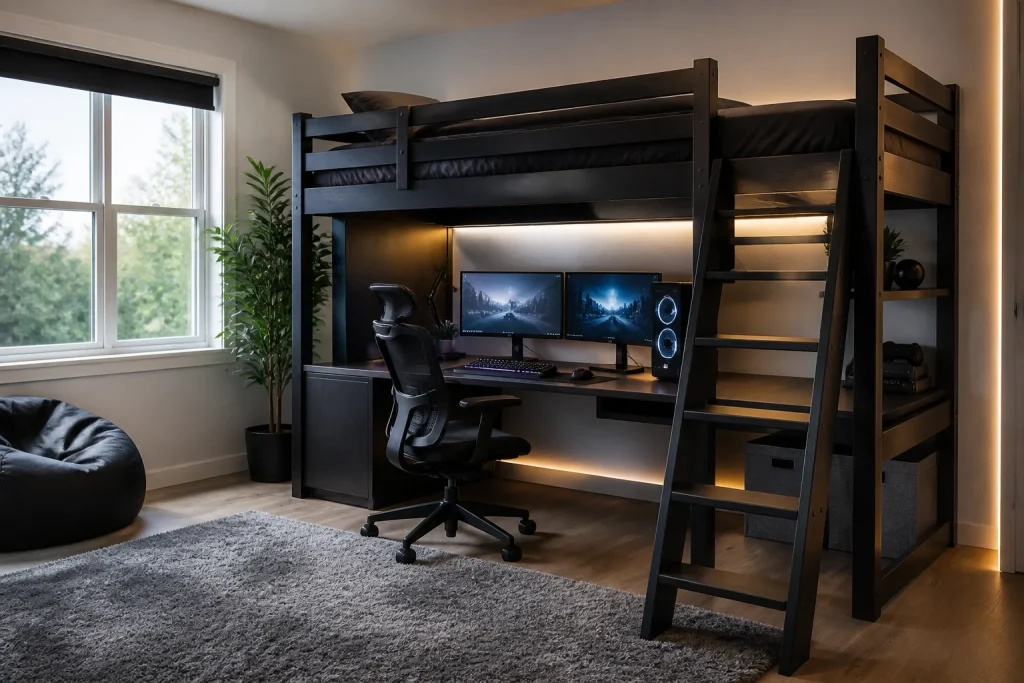
A gaming room bunk bed or loft bed can free up floor space for a desk, monitor, console, or storage. The mistake is treating the bed like a backdrop instead of a structure people climb and sleep in every day.
Plan the sleep zone, ladder, desk, cables, lighting, heat, and walking path together. A clean setup is safer, easier to maintain, and better for actual use.
Table of Contents
Quick Answer
A good gaming room bunk bed setup keeps the ladder clear, places screens and cables away from climbing paths, uses low-heat lighting, preserves ventilation around electronics, and keeps the upper bunk mattress within the bed manufacturer limits. If the desk sits under a loft, confirm head clearance and avoid mounting heavy gear to bed rails.
| Area | Better setup |
|---|---|
| Desk under loft | Measure seated head clearance before buying. |
| Cables | Route along walls, not across ladder or floor paths. |
| Lighting | Use low-heat LED strips away from bedding. |
| Console/PC heat | Keep vents open and off soft bedding. |
| Upper bunk | Use correct mattress thickness and keep rails clear. |
Start With the Ladder Path
The ladder path decides where everything else can go. Do not place chairs, cords, headphones, backpacks, or storage bins where someone climbs down in the dark.
If the ladder blocks the best desk position, choose a different bed style before forcing the room layout.
- Keep the ladder visible and unobstructed.
- Do not run power cords across climbing paths.
- Keep controllers and bags off ladder rungs.
- Use a bedside shelf only if the manufacturer allows it.
- Keep the floor clear near the landing area.
Desk and Monitor Clearance
A desk under a loft bed needs seated head clearance, monitor depth, chair movement, and cable access. Measure the person sitting in the chair, not just the desk height.
Avoid mounting heavy monitors or shelves directly to the bed frame unless the manufacturer specifically allows it.
| Item | Check |
|---|---|
| Chair | Can roll or slide without hitting posts. |
| Monitor | Does not force neck strain. |
| Keyboard tray | Does not block ladder or drawers. |
| PC tower | Has airflow and is not under bedding. |
| Power strip | Mounted safely away from feet and fabric. |
Lighting and Heat
LED strips can work well, but keep them away from bedding and do not wrap cords around rails. Choose lighting that can be switched off from the desk and bed without climbing awkwardly.
Consoles and PCs need airflow. Do not place electronics on mattresses, pillows, or soft storage bins.
Upper Bunk Safety Still Comes First
CPSC guidance says bunk beds with mattress foundations more than 30 inches above the floor need guardrails, and guardrails must extend at least 5 inches above the top of the mattress. Do not let gaming accessories reduce rail height or block exits.
If the setup makes the bed harder to climb, clean, or inspect, simplify it.
Related Guides
For loft planning, read loft beds for 8-foot ceilings. For bunk bed games and kids rooms, see safe bunk bed games.
FAQ
Can I put a gaming desk under a loft bed?
Yes, if there is enough seated head clearance, airflow, and a clear ladder path.
Are LED strips safe on bunk beds?
Use low-heat LEDs, keep cords managed, and avoid placing lights or wires where they touch bedding or ladder paths.
Can I mount a monitor to a bunk bed frame?
Avoid it unless the bed manufacturer allows it. A wall mount or desk arm is usually safer.